CRM

Sprocket Cloud CRM

More than contacts.Real connections.

Your customers, pipeline and everyday work in one colourful, connected workspace. Give every conversation context — and every next step a home.

Real product tourFlexible workspaceOptional apps
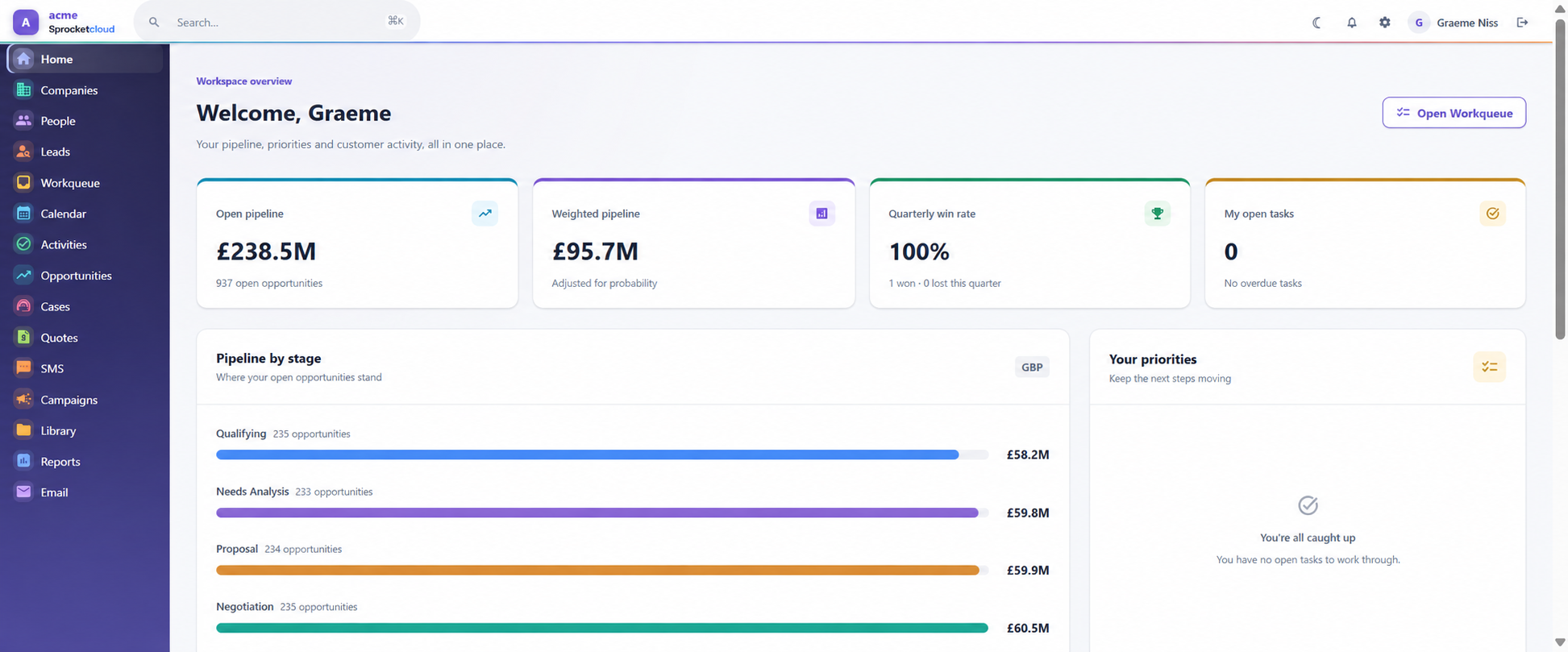
Sprocket Cloud CRM demo workspace: Pipeline, priorities and customer activity, together.
Pipeline, priorities and customer activity, together.Top icon rail · Real demo workspace · Click to explore
1 / 3

The customer story, connected

Less searching.
More knowing.

Move from customer context to action without losing the thread.

01

Everyone on the same page

Pick up the story.
Right where it left off.

Bring companies, people, activities and customer history together. Give your team the context to make every conversation more useful.

  • Connected companies and people
  • Notes, documents and activity history
  • Clear ownership and controlled access
Customer context at a glance
Actual CRM demo dashboard with the default colourful top module navigation, priorities and pipelineDaily prioritiesConnected pipeline
02

A clearer path to the next yes

Keep your pipeline
moving forward.

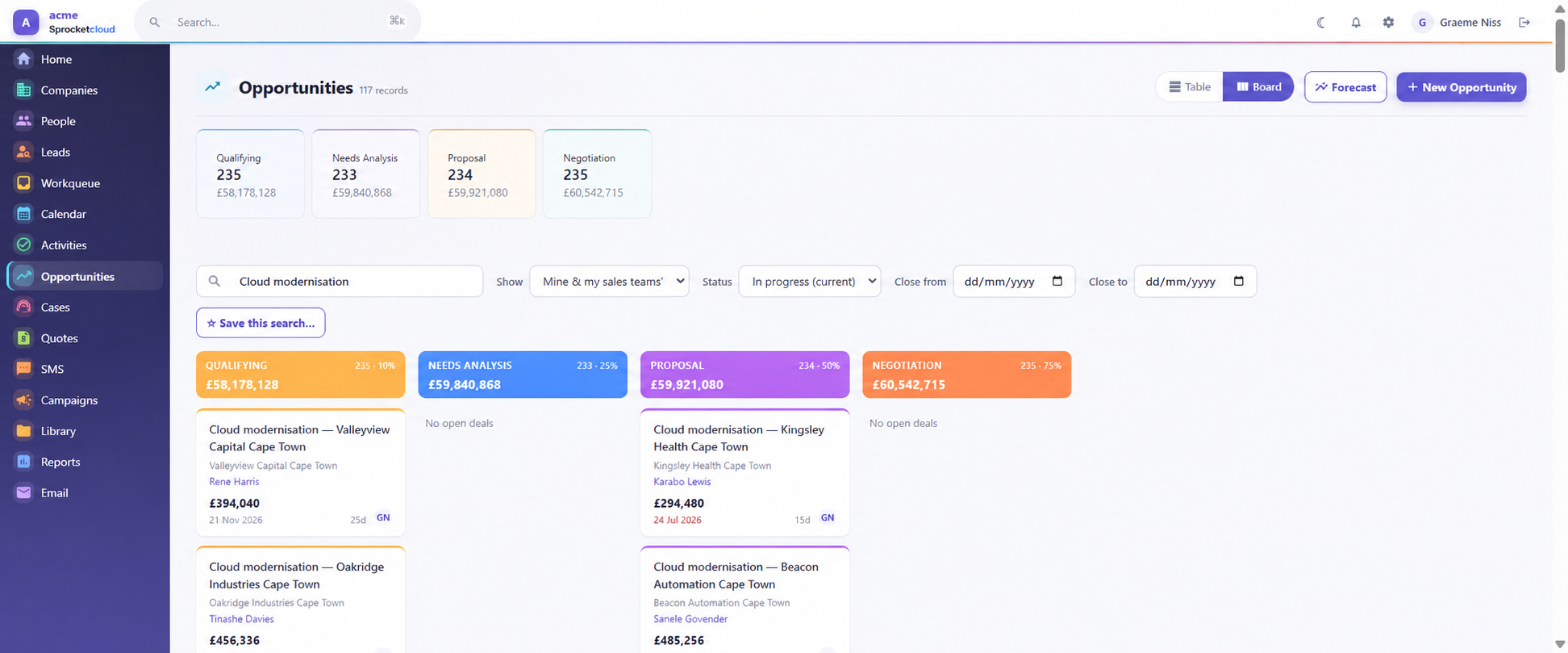
See where each opportunity stands, who's responsible and what it's worth. Switch between the detail of a table and the bigger picture of a board.

  • Lead qualification and deal stages
  • Value, probability and close dates
  • Sales teams and forecasting
Opportunity board
Actual Sprocket Cloud CRM opportunity board using the compact side railStages made visibleValue and owner together
03

From information to understanding

See what matters.
Know where to focus.

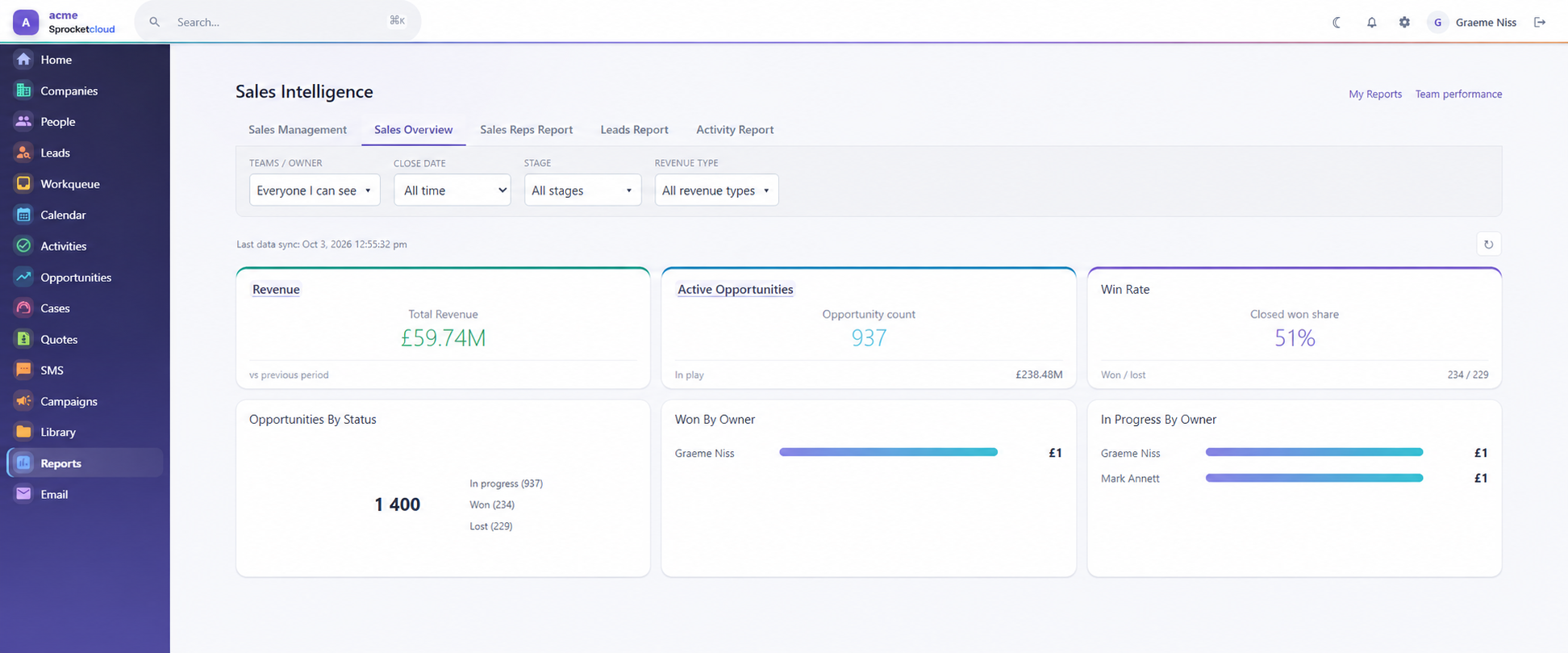
Bring sales and customer activity into view with dashboards and reports. Explore the pipeline, follow lead progress and keep service work visible.

  • Sales and lead dashboards
  • Pipeline and activity reporting
  • Starter reports you can build on
Sales overview
Actual sales reporting dashboard from the Sprocket Cloud CRM demo using the compact side railPerformance in viewFocus on what matters

Your navigation, your way

Start across the top.
Switch when it suits you.

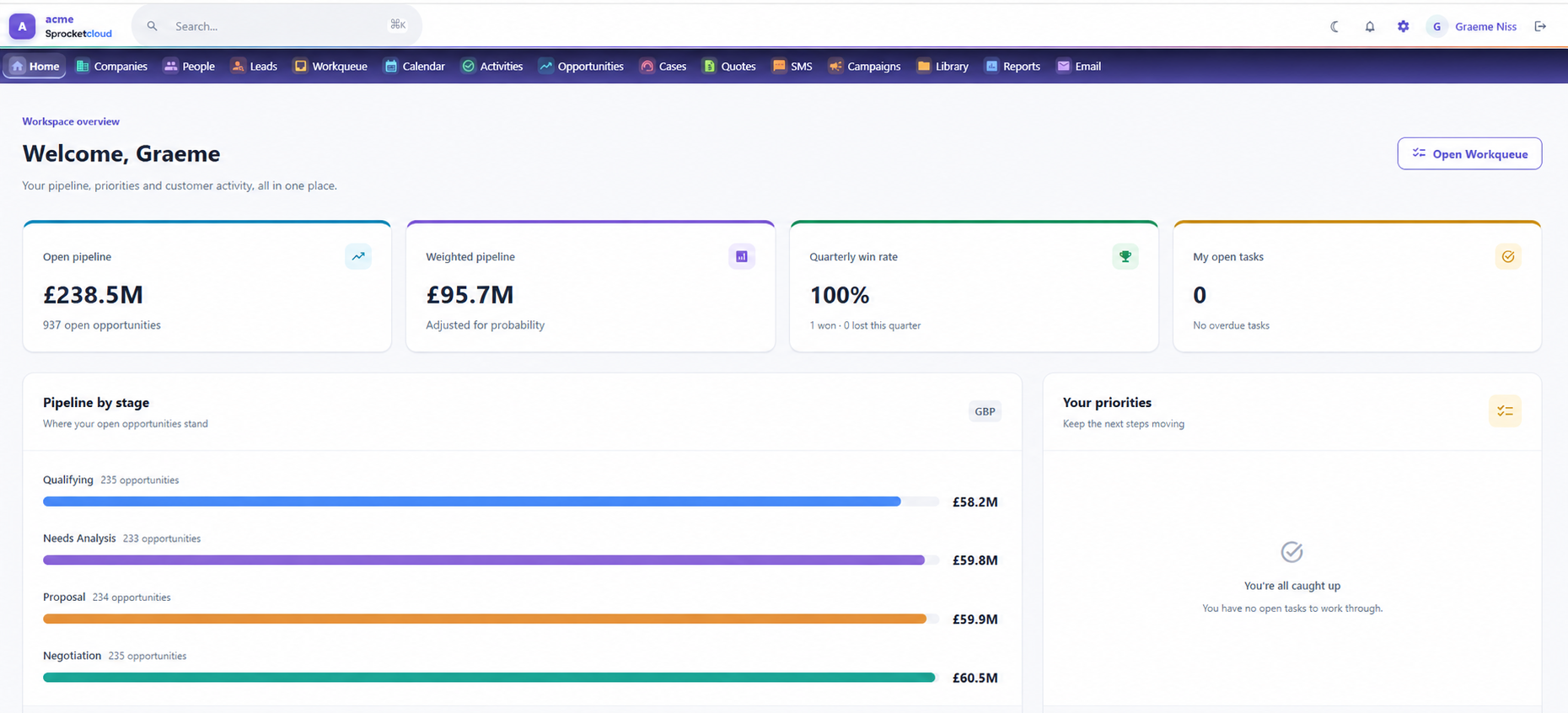
The colourful top icon rail is the standard view. Prefer more room for your work? Choose the compact side rail in your profile.

Everything in sight

Named modules run across the top, making the CRM easy to learn and quick to scan.

Sprocket Cloud CRM dashboard using the default colourful top icon rail

Built around the work

Choose a team.
See their day.

Sprocket Cloud CRM connects different roles without forcing everyone into the same view.

Sales teams

Turn the next step into momentum.

Qualify leads, keep opportunities moving and see what needs attention without rebuilding the story.

See it with your workflow
  1. 01Capture and qualify enquiries
  2. 02Work opportunities by stage
  3. 03Forecast from live pipeline

The connected workspace

One customer story.
Every team in context.

Core records sit at the centre. Sales, service, communication and reporting stay connected around them.

Explore every feature
Companies
& people
↗Pipeline
✓Activities
✦Campaigns
?Cases
▥Reports

Take a closer look

One workspace.
So much connected.

Explore the tools behind the customer relationship, from the first enquiry to ongoing service.

Customer relationships

  • Companies & peopleKeep company records, contacts, individuals, contact methods and relationships together.
  • Customer historyConnect notes, activities, documents, opportunities and cases to the relevant customer.
  • Search & saved listsFind records and return to useful filtered lists.

Sales & pipeline

  • LeadsCapture enquiries, qualify prospects and assign responsibility for the next step.
  • OpportunitiesTrack stage, owner, value, probability, close date and sales team in table or board views.
  • ForecastsReview expected revenue and weighted pipeline alongside the underlying opportunities.

Daily work

  • WorkqueueBring assigned work and follow-ups into a focused working view.
  • Calendar & activitiesOrganise tasks, calls and meetings with owners, dates and status.
  • NotificationsKeep track of work that needs your attention.

Communication & campaigns

  • Sales InboxConnect configured Microsoft 365 or IMAP mailboxes and file conversations against CRM records.
  • CampaignsPlan outreach, organise audiences and track campaign activity. Email delivery requires configured sending services.
  • Web formsCapture website enquiries directly into CRM using published forms.

Service & insight

  • CasesManage customer issues with status, priority, source and ownership.
  • Document libraryOrganise shared files and documents alongside customer work.
  • Reports & dashboardsExplore sales, leads, pipeline, cases and activities with starter reports and reporting tools.

Your workspace, your rules

  • Custom fields & layoutsAdapt record information and edit layouts to your processes.
  • Users & permissionsManage module permissions, field access and record sharing.
  • ImportsBring existing customer records into your workspace.
Optional apps

Make room for more.

Extend your workspace with the apps your team needs. Availability and setup depend on your subscription and enabled services.

Talk through your setup
QuotesProducts, line items and customer quotesSMSMessaging with a configured provider

Feature explorer

See how the work flows.

Filter by the job your team needs to do. Every card shows the workflow—not just a feature name.

18 features shown

RelationshipsCore

Companies & people

Build one reliable customer picture across organisations, contacts and individual relationships.

  1. 01Company record
  2. 02Connected people
  3. 03Contact details
What this changesKnow who you are speaking to—and the wider relationship around them.
See it in the product
RelationshipsCore

Customer history

Bring activities, notes, documents, opportunities and cases into the customer story.

  1. 01Open customer
  2. 02Review timeline
  3. 03Continue the work
What this changesPick up a conversation without asking the customer to repeat themselves.
See it in the product
SalesCore

Leads

Capture new enquiries, qualify them and give every prospect a clear owner and next step.

  1. 01Capture
  2. 02Qualify
  3. 03Assign
What this changesTurn an enquiry into accountable sales work.
See it in the product
SalesCore

Opportunities

Keep stage, value, probability, close date, owner and sales team on the deal.

  1. 01Create deal
  2. 02Progress stage
  3. 03Close with context
What this changesSee what is moving, what is stuck and who owns the next action.
See it in the product
SalesCore

Pipeline views

Move between a detailed opportunity list and a visual board organised by stage.

  1. 01Filter pipeline
  2. 02Move by stage
  3. 03Review value
What this changesGive reps detail and leaders the bigger picture.
See it in the product
Daily workCore

Workqueue

Bring assigned work and customer follow-ups into one focused working view.

  1. 01See priorities
  2. 02Open context
  3. 03Complete work
What this changesStart the day knowing what needs attention first.
See it in the product
Daily workCore

Calendar & activities

Plan calls, tasks and meetings with owners, dates, status and related records.

  1. 01Plan activity
  2. 02Link customer
  3. 03Track completion
What this changesKeep the next step visible beside the customer it belongs to.
See it in the product
CommunicationCore

Sales Inbox

Connect configured Microsoft 365 or IMAP mailboxes and file email against CRM records.

  1. 01Connect mailbox
  2. 02Read conversation
  3. 03File to record
What this changesKeep important customer email in the shared relationship history.
See it in the product
CommunicationCore

Campaigns

Organise audiences and outreach using configured email sending services.

  1. 01Choose audience
  2. 02Prepare outreach
  3. 03Track activity
What this changesConnect campaign work to the people and companies already in CRM.
See it in the product
CommunicationCore

Web forms

Publish enquiry forms that turn website submissions into structured CRM records.

  1. 01Publish form
  2. 02Capture details
  3. 03Route to owner
What this changesMove a website enquiry into the team’s real workflow.
See it in the product
ServiceCore

Cases

Manage customer issues with status, priority, source, ownership and related context.

  1. 01Open case
  2. 02Assign owner
  3. 03Resolve issue
What this changesGive service work structure without disconnecting it from the customer.
See it in the product
InsightCore

Dashboards & reports

Explore sales, leads, pipeline, activities and cases through focused reporting views.

  1. 01Choose view
  2. 02Spot movement
  3. 03Focus action
What this changesTurn live CRM activity into a clearer decision about what comes next.
See it in the product
WorkspaceCore

Custom fields & layouts

Shape the information and record layouts around the way your organisation works.

  1. 01Add fields
  2. 02Arrange layout
  3. 03Capture consistently
What this changesFit the workspace to the process instead of forcing the process into a template.
See it in the product
WorkspaceCore

Permissions & sharing

Control access at module, field and record level through profiles, ownership and sharing.

  1. 01Define access
  2. 02Protect detail
  3. 03Share deliberately
What this changesGive people the information they need without exposing everything.
See it in the product
WorkspaceCore

Imports

Bring existing customer data into the workspace with a controlled import process.

  1. 01Prepare data
  2. 02Map fields
  3. 03Review records
What this changesMove beyond scattered files without starting your customer history again.
See it in the product
Optional appsOptional

Quotes

Build customer quotes from products and line items, with commercial detail kept beside the relationship.

  1. 01Choose customer
  2. 02Add line items
  3. 03Prepare quote
What this changesMove from opportunity to customer-ready quote without rebuilding the deal elsewhere.
See it in the product
Optional appsOptional

SMS

Send provider-backed text messages from the customer context when SMS is configured for the workspace.

  1. 01Open contact
  2. 02Write message
  3. 03Send through provider
What this changesHandle short, timely customer communication without losing CRM context.
See it in the product
Optional appsOptional

WhatsApp

Continue supported WhatsApp conversations from CRM using a configured WhatsApp Business integration.

  1. 01Open conversation
  2. 02Use supported message
  3. 03Keep customer context
What this changesBring a customer messaging channel closer to the record your team already works from.
See it in the product
Sprocket Cloud CRM Companies screenLive CRM screen

Inside Sprocket Cloud CRM

Feature preview

    What this changes

    Shape your workspace

    Start with CRM.
    Add what fits.

    Build a conversation starter—there are no invented prices here. We'll confirm the right setup and cost with you.

    Optional apps

    Core CRM10 users

    Optional appsNone selected

    Discuss this setup

    Made to fit real work

    Structure without
    the straitjacket.

    Adapt the workspace

    Use custom fields and layouts to capture the information your processes need.

    Control access

    Manage permissions at module, field and record level with ownership and sharing controls.

    Bring work into view

    Use activities, workqueues and notifications to make responsibility clearer.

    A few things you might be wondering

    Let's make it clear.

    Still wondering about something? Ask us directly.

    Is Sprocketcloud just a CRM company?

    Sprocketcloud is the company behind our business software. Sprocket Cloud CRM is our first product, with room for more products in the future.

    Can I see the actual product?

    Yes. The screenshots on this page come from our demo workspace. Book a demo and we'll walk through the product around your team's work.

    Are Quotes and SMS included as standard?

    They are optional apps. We'll confirm the apps, provider requirements and costs relevant to your team when we discuss your setup.

    How do I find my existing workspace?

    Use CRM login to find and access your workspace.

    How much does it cost?

    Contact us to discuss your users, requirements and optional apps. We'll confirm pricing before you commit.

    Your next chapter starts here

    Better connected.
    Ready for what's next.

    See what Sprocket Cloud CRM could do for your team.

    Let's book your demo

    Let's meet your next workspace

    A little less admin.
    A lot more possibility.

    Tell us about your team. We'll show you how Sprocket Cloud CRM brings your customer work together.

    Prefer email? Say hello No hard sell. Just a useful conversation.

    Book your CRM demo

    A conversation about your business and a tour of the real product.

    Preferred reply
    What would you like to see?
    We'll only use these details to respond to your enquiry. See our privacy notice.